Ship features with their documentation. On launch day.
Close the gap between deploy and adoption. auttickn turns your product flows into narrated tutorials and help docs in minutes, so releases ship with docs instead of adding support debt.
Minutes
to publish docs per feature, not hours of manual work
Self-serve
help docs let users answer how-to questions themselves
Self-healing
docs stay aligned when your UI changes
Sound familiar?
of manual work to document each feature
questions are a recurring support cost
grows faster than a docs team can ship
adoption when features go undocumented
AI multiplies features.
auttickn multiplies documentation at the same speed.
How it works
How Auttickn's AI tutorial generator works
Describe what to demonstrate
Paste your app URL and describe the flow in plain English. No scripts, no code.
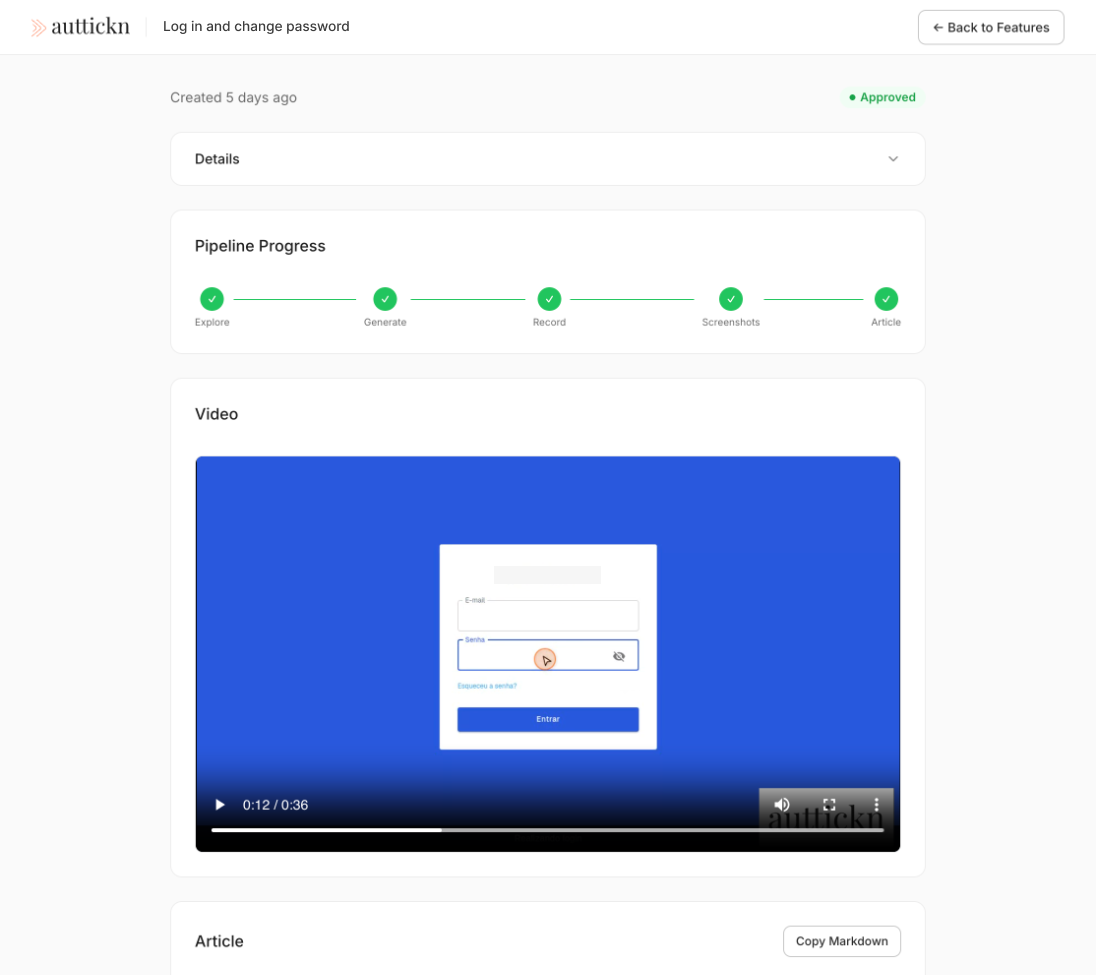
AI navigates and records your app
auttickn opens a real browser, follows each step, and records the entire screen as a video.
Narration, screenshots, and article — automatically
AI generates a voiceover for the video, captures key screenshots, and writes a full knowledge base article.
Review, approve, and publish
Watch the video, read the article, and approve with one click. Nothing goes live without you.
Benefits
Why teams choose auttickn
Minutes, not hours
Review a generated tutorial instead of creating one from scratch.
Docs on launch day
New releases can ship with documentation automatically.
Less manual writing
AI handles navigation, recording, narration, and article writing.
Easy to keep current
Re-generate when your UI changes — no manual re-recording.
Works in your browser
Browser-based with email-and-password login — no SDK, no integration, no code changes. SSO, MFA, and social logins aren't supported yet.
Self-healing scripts
UI changed? auttickn adapts automatically — no manual re-recording needed.
Why auttickn
What teams use today — and why they switch
Guidde
Semi-automated — someone still walks through every step
→Fully automated — describe in text, AI does everything
Scribe / Tango
Static screenshots only, no video or narration
→HD video + natural narration + written article
Technical Writer
Expensive bottleneck that can't match release pace
→Scales with your releases at marginal cost
Pricing
Simple, transparent pricing
Pro
Popular- ✓15 videos/month
- ✓Extra video packs available
- ✓No watermark
- ✓HD quality (1080p)
- ✓Email support
No credit card required
FAQ
Frequently asked questions
What apps does auttickn work with?
+
Web apps you can use in a browser with email-and-password login. No SDK or integration needed. SSO, MFA, and social logins (Google, GitHub, and similar) aren't supported yet.
How good are the generated videos?
+
HD quality with natural AI narration. You review and approve before publishing.
How long does it take to generate a video?
+
Minutes, not hours. The automated pipeline handles everything.
Is my data secure?
+
Isolated browser sessions. Credentials provided for a run are used only during that run and are not saved by auttickn.
Can I review before publishing?
+
Yes — built-in approve/reject workflow. Nothing goes live without your approval.
Do I need technical skills?
+
No. Describe what to demonstrate in plain English. No code required.
Do I need a credit card?
+
No. The Free plan requires no credit card. You only add payment when upgrading to Pro.
What happens if I exceed 15 videos on Pro?
+
Extra videos are sold as prepaid packs — there is no automatic overage billing at the end of the cycle. You choose when to buy more, and you can track usage in your dashboard.
Start documenting features in minutes, not hours
Join teams shipping features with tutorials on day one.
Get started
Trusted by teams worldwide